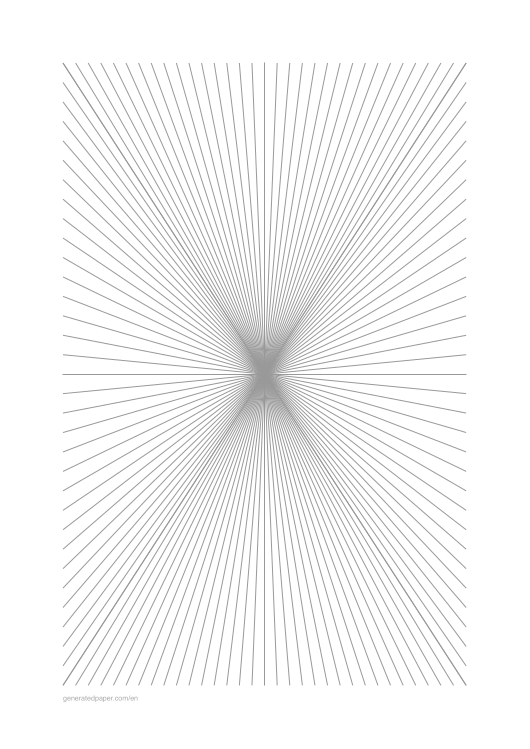
Perspective Drawing Paper – 1, 2 & 3 Vanishing Points
Perspective Drawing Paper with Vanishing Point Grids
Perspective drawing paper (also called vanishing point paper or perspective grid paper) is a specialized template featuring guide lines that converge toward one or more vanishing points. These pre-drawn grids eliminate the need to manually calculate perspective lines, helping artists, architects, students, and designers create accurate drawings with realistic depth and dimension.
Unlike regular graph paper which uses a flat grid, perspective paper provides angular guide lines that follow the rules of linear perspective. This makes it invaluable for architectural sketches, technical illustrations, art education, and any drawing that requires accurate spatial relationships.
Whether you know it as a perspective template, a perspective grid template or a sheet of perspective guidelines, it is the same download: straight guide lines running to one, two or three vanishing points, set up in the form above and printed as a free PDF, as many perspective sheets as your drawing needs.
When to Use Perspective Drawing Paper
Use perspective paper instead of regular graph paper when your drawing needs to show depth, distance, or three-dimensional space. It's essential for:
- Architecture and Urban Design: Building elevations, street scenes, interior spaces, and architectural renderings
- Art and Illustration: Background environments, room interiors, product design sketches, and comic book panels
- Education: Teaching perspective drawing fundamentals, art class exercises, and technical drawing courses
- Technical Drawing: Engineering illustrations, product mockups, and presentation sketches
Popular Perspective Paper Configurations
Each configuration serves different drawing needs. Here are the most popular setups for common use cases:
Architecture & Building Drawing
-
Building Facades
for symmetrical building fronts, storefronts, and architectural elevations. The center vanishing point creates balanced compositions perfect for facade studies
-
Street Scenes
for roads extending into the distance. The bottom-center vanishing point creates a natural forward-looking perspective
-
Corner Buildings
to show both sides of buildings realistically. Two-point perspective is the standard for architectural corner views
-
City Skylines
for elevated urban views looking down at cityscapes. The high horizon line creates a bird's eye perspective
-
Skyscrapers
for dramatic upward views of tall buildings. Three-point perspective with vertical convergence emphasizes height
Tips for Using Perspective Drawing Paper
- Start by identifying your horizon line and vanishing points on the printed template
- Use the guide lines for major structural elements, then add details freehand
- Keep the perspective grid visible but light—don't let it overpower your drawing
- For complex scenes, you may need to extend lines beyond the printed guides
- Practice with one-point perspective before moving to two-point and three-point
- The grid lines are guides, not rules—adjust as needed for artistic effect
Where are the vanishing points on the template?
On a one-point template the vanishing point is on the paper: in the middle by default, or a fifth of the way in from the top, bottom, left or right edge if you move it in the form. Every guide line runs straight into it, which is what makes a hallway, a road or a railway track recede.
On a two-point template both vanishing points sit off the page, on the horizon line, about 30% of the page width beyond the left and right edges. That is deliberate. Put two vanishing points on the paper itself and anything you draw between them comes out stretched, as if seen through a wide-angle lens; pushed outside, the corner of a building keeps a natural angle. The horizon runs through the middle on the standard setting, 30% down from the top with a high horizon and 30% up from the bottom with a low one, and the sheet adds evenly spaced vertical lines for the upright edges.
A three-point template keeps the same two horizon points and adds a third on the centre line: just above the page as standard, further above it for a worm's-eye view up a tower, and below the page for a bird's-eye view down onto one. Start with the one-point perspective template, the two-point perspective grid template or the three-point perspective template.
Is there a 4-point or 5-point perspective grid template?
Not here, and the reason is in the lines themselves. Four- and five-point perspective are curvilinear: they draw the bulging, fisheye view, so their guide lines are arcs rather than straight lines. Every sheet on this page is made of straight lines to one, two or three vanishing points. For a dramatic, wide-angle feel with straight guides, the closest you can get is three-point looking steeply up or down, as on the worm's-eye three-point template.
How do I print it at the right size?
Printers shrink the page slightly by default, which makes every measurement on the sheet wrong. Turn scaling off and the spacing comes out exactly as you set it.
- Scale: 100% / Actual size
- Turn off "Fit to page"
- Paper: white 80 gsm
- Colour: black and white for crisp lines
Do I need Word for this?
No. A grid or ruling drawn as a table in Word changes size when it prints, because Word scales the page to your printer margins — so the spacing you set is not the spacing you get. The PDF here is fixed at the size you chose, which is the whole point of downloading one.
Can I put this inside a Word document?
Yes — download it as a transparent PNG and insert it as a picture or page background. Word, Google Docs and Slides all take it, and the spacing stays exactly as you set it here.