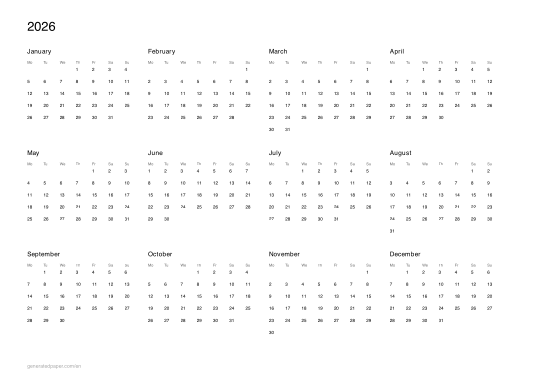
Yearly Calendar to Print – All Twelve Months on One Page
A whole year on one page
A yearly calendar puts all twelve months on a single sheet. It is a reference calendar rather than a planner: the cells are sized for reading a date, not writing in one. Pin it above a desk and you can see the shape of the year without opening anything.
Which year do you need?
Pick the year and download. The current year is what most people want mid-year; from about October onward the next one takes over.
-
Calendar 2026
the rest of this year, still useful for planning ahead
-
Calendar 2027
next year, for planning that runs past December
A4 or US Letter?
A4 is the standard across Europe, Brazil and most of Latin America. US Letter is slightly wider and shorter, and is what printers in the United States, Canada and Mexico expect. Choosing the wrong one is the usual reason a printed calendar comes out with a white band down one side.
-
A4 landscape
Europe, Brazil, most of Latin America
-
US Letter landscape
United States, Canada, Mexico
Should the week start on Monday or Sunday?
Monday-start is standard in Europe and most of Latin America; Sunday-start is standard in the United States, Canada and Japan. It changes nothing but the column order — but a calendar with the wrong one is oddly hard to read, because you count from the wrong end. The A4 presets start on Monday and the Letter presets on Sunday, matching where each size is used.
For a single month with room to write in, use the monthly calendar.
How do I print it at the right size?
Printers shrink the page slightly by default, which makes every measurement on the sheet wrong. Turn scaling off and the spacing comes out exactly as you set it.
- Scale: 100% / Actual size
- Turn off "Fit to page"
- Paper: white 80 gsm
- Colour: black and white for crisp lines
Do I need Word for this?
No. A grid or ruling drawn as a table in Word changes size when it prints, because Word scales the page to your printer margins — so the spacing you set is not the spacing you get. The PDF here is fixed at the size you chose, which is the whole point of downloading one.
Can I put this inside a Word document?
Yes — download it as a transparent PNG and insert it as a picture or page background. Word, Google Docs and Slides all take it, and the spacing stays exactly as you set it here.