Create Custom Printable Lined Paper
Everything You Need to Know About Lined Paper (Ruled Paper)
Lined paper, also known as ruled paper, is a writing essential used by students, professionals, and creatives worldwide. Whether for note-taking, journaling, handwriting practice, or drafting essays, ruled paper provides structure and readability.
Which ruling do I need?
Different spacing suits different hands and purposes:
-
Wide ruled
Common in elementary schools, allowing more space for developing handwriting
-
College ruled
Standard for students and professionals who need more lines per page
-
Narrow ruled
Ideal for those with smaller handwriting or dense note-taking
Need a grid instead of lines? Try our free printable graph paper.
How is ruled paper used?
- Academic Writing & Studying – Note-taking, essay drafting, and math calculations across all grade levels.
- Journaling & Creative Writing – Storytelling, poetry, and daily reflections.
- Calligraphy & Handwriting Practice – Helps develop letter consistency and proper spacing.
- Business & Legal Work – Contracts, meeting notes, and record-keeping.
- Music Composition – Annotating lyrics or basic notations before transcribing to sheet music.
Fun Facts About Lined Paper
- The first commercially ruled paper was patented in the 19th century, making it a long-time staple in writing materials.
- Many schools require wide or college-ruled notebooks to standardize students' handwriting and organization.
- Some journals use faint dotted lines instead of solid rules, blending the flexibility of dot grid and lined paper for a more open format.
Loose leaf, ruled sheet, or lined paper?
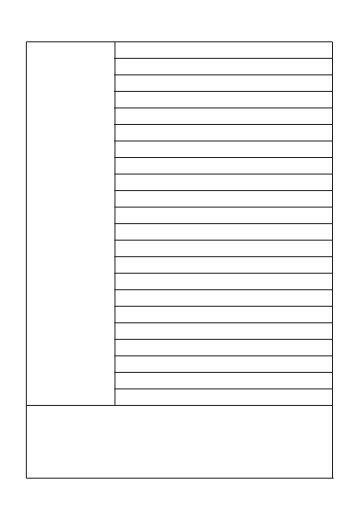
Three names for the same thing, and which one you use mostly says where you are. In Canada and the US a single unbound page is loose leaf, sold by the pack for a ring binder. In India the same page is a ruled sheet, usually A4 and usually for school work. In the UK it is simply lined or ruled paper. All of them are the sheet below — pick the line spacing you need and print as many as you want.
If you are filling a binder, print on standard A4 or Letter and punch it yourself; the ruling stays exact because the PDF does not rescale. Start with the A4 ruled sheet.
Paper for a practical file
Indian schools and colleges ask for a practical file — a bound record of experiments, readings and diagrams, usually one ruled page facing one blank or squared page. The ruled half is an ordinary A4 ruled sheet, so you can print exactly the pages you ran short of rather than buying a whole new file. For the squared half use the graph sheet generator.
How do I print it at the right size?
Printers shrink the page slightly by default, which makes every measurement on the sheet wrong. Turn scaling off and the spacing comes out exactly as you set it.
- Scale: 100% / Actual size
- Turn off "Fit to page"
- Paper: white 80 gsm
- Colour: black and white for crisp lines
Do I need Word for this?
No. A grid or ruling drawn as a table in Word changes size when it prints, because Word scales the page to your printer margins — so the spacing you set is not the spacing you get. The PDF here is fixed at the size you chose, which is the whole point of downloading one.
Can I put this inside a Word document?
Yes — download it as a transparent PNG and insert it as a picture or page background. Word, Google Docs and Slides all take it, and the spacing stays exactly as you set it here.