Free Printable Millimeter Paper PDF Generator
Create your own millimeter paper (1mm graph paper)
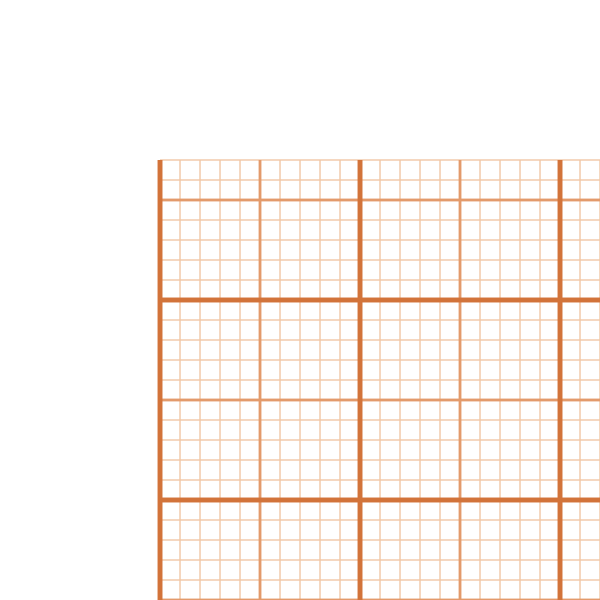
Millimeter paper is precision graph paper with a fine 1mm grid and darker guide lines every 5mm and 10mm. With our free generator you can create it as a PDF in the classic engineering orange – or blue, green, grey and black – and print it at exact scale.
What makes millimeter paper different from ordinary graph paper?
Ordinary graph paper has a single grid at one spacing. Millimeter paper layers three line weights: a light 1mm grid, a medium line every 5mm, and a bold line every 10mm. That nested hierarchy lets you read exact measurements and plot to scale at a glance – which is why it is the standard for engineering and science.
Just need a plain square grid for maths or notes? Try our graph paper generator.
Millimetre paper, millimetric paper, millimeter block — are they the same thing?
Yes. It is one sheet with several English names, most of them borrowed from the language the searcher grew up with. Millimetre paper is simply the British spelling. Millimetric paper is the direct translation of papel milimetrado, papier millimétré and carta millimetrata, so it is the name most people from Spain, Latin America, France or Italy reach for in English. Millimeter block comes from the pads it is sold in: a Millimeterblock in German, or kertas milimeter blok in Indonesian. MM paper is the shorthand. Whatever you call it, it is the same nested grid: 1mm squares, a stronger line every 5mm and a bold line every 10mm. Here is the A4 millimetre paper PDF.
Who uses millimeter paper?
The 1mm grid is built for precision work:
- Engineering & technical drawing: dimensioned sketches, hand-drawn CAD drafts, and scale drawings.
- Science & lab work: plotting measurements, calibration curves, and experiment data by hand.
- Medicine & biology: recording traces and readings on a fine, measurable grid.
- Architecture & design: scale floor plans and detailed layouts.
- Mathematics: precise function graphs where every millimetre counts.
Which size should I choose?
Millimeter paper always uses a 1mm grid, so the only choice is the page size:
-
Millimeter paper A4
the everyday standard for school, university, and the office
-
Millimeter paper A3
the large format for detailed engineering drawings and posters
-
Millimeter paper Letter
US Letter size for North America
-
Millimeter paper A5
compact half-page for lab books and notebooks
Need a bigger square — 2mm, 5mm or 1cm grid paper?
A 1mm grid is too fine for handwriting or a quick sketch, and plenty of people searching for "mm paper" really want one of the coarser metric grids. Those come from the graph paper generator:
- 2mm grid paper (A4) – the finest grid you can still write numbers into
- 5mm grid paper (A4) – the classic squared maths sheet
- 1cm grid paper (A4) – large squares for young children, diagrams and games
How to print millimeter paper to scale
The 1mm grid is only accurate if you print without scaling:
- Print setting: 100% / Actual Size (never 'Fit to Page')
- Paper: white 80gsm/20lb copy paper
- Check: measure a 10mm block with a ruler – it should be exactly 1cm
- Quality: normal or high for crisp fine lines
Do I need Word for this?
No. A grid or ruling drawn as a table in Word changes size when it prints, because Word scales the page to your printer margins — so the spacing you set is not the spacing you get. The PDF here is fixed at the size you chose, which is the whole point of downloading one.
Can I put this inside a Word document?
Yes — download it as a transparent PNG and insert it as a picture or page background. Word, Google Docs and Slides all take it, and the spacing stays exactly as you set it here.