Seyès Ruled Paper – French Ruling for Cursive Handwriting
Everything You Need to Know About Seyès Ruling (French Ruling)
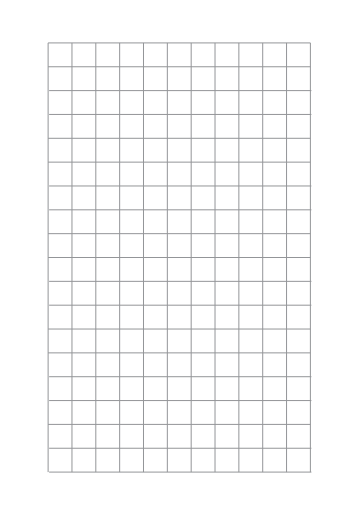
Seyès ruling, also known as French ruling or French grid paper, is a specialized lined paper format commonly used in France for handwriting practice and calligraphy. Its distinctive grid structure with horizontal and vertical lines helps writers maintain consistent letter sizing and spacing, making it ideal for students and professionals alike.
What Makes Seyès Ruled Paper Unique?
Unlike standard lined paper, Seyès paper features a precise grid designed to improve handwriting. The structure consists of:
- Thick horizontal lines (8mm apart) guiding the main text baseline.
- Thin horizontal lines dividing each section into smaller segments, aiding in letter height consistency.
- Vertical margin lines to keep text aligned and well-structured.
This layout is particularly helpful for mastering French cursive writing and improving overall penmanship.
Seyès, French ruled, French grid — are they the same paper?
Yes. One sheet, several English names, and that is why searching for it is confusing. Seyes ruled paper (often written séyès, and pronounced say-YESS) is the French name, after the ruling itself. French ruled paper and French lined paper are the usual English translations. French grid paper describes what it looks like — the vertical lines make it read as a grid rather than as ordinary lined paper. A French pupil calls the sheet a page séyès .
What none of those names tell you is the measurement, so here it is: the writing band between two strong lines is 8 mm , divided into four 2 mm rows by faint lines, with vertical lines every 8 mm, so the bold lines form 8 × 8 mm squares. A lowercase letter occupies one 2 mm row; an l, h or b rises the full 8 mm. That fixed proportion is the whole point of the ruling, and it is why a sheet drawn to any other spacing is not Seyes paper.
Which Seyes sheet do you need?
Three versions cover almost every use. Pick the paper size you will actually print on — Seyes is a French format, so it is specified in A4, but printing it on US Letter without rescaling keeps the 8 mm band intact, which is the part that matters.
-
Seyes ruled paper · A4
the standard French school sheet, black lines — the one to print if you are practising handwriting or working through a French textbook
-
Seyes ruled paper · US Letter
the same 8 mm ruling on 8.5 × 11 in, so it prints edge to edge on North American paper without shrinking the lines
-
Seyes in colour · A4
the whole ruling in light violet with a red margin line, the way French exercise books are actually printed — it stays legible under pencil and pen
Learning French cursive rather than just needing the paper? The handwriting worksheet generator prints your own words in the French school model on the same Seyes ruling, so a child traces real letterforms instead of copying from a screen.
Fun Facts About Seyès Paper
- Invented in the 19th century, Seyès ruling has been a staple in French classrooms for over a century.
- French schools require students to use Seyès paper to develop consistent and legible cursive handwriting.
- Many designers and architects also use French ruling for precise sketches and structured layouts.
How do I print it at the right size?
Printers shrink the page slightly by default, which makes every measurement on the sheet wrong. Turn scaling off and the spacing comes out exactly as you set it.
- Scale: 100% / Actual size
- Turn off "Fit to page"
- Paper: white 80 gsm
- Colour: black and white for crisp lines
Do I need Word for this?
No. A grid or ruling drawn as a table in Word changes size when it prints, because Word scales the page to your printer margins — so the spacing you set is not the spacing you get. The PDF here is fixed at the size you chose, which is the whole point of downloading one.
Can I put this inside a Word document?
Yes — download it as a transparent PNG and insert it as a picture or page background. Word, Google Docs and Slides all take it, and the spacing stays exactly as you set it here.