Free Printable Blank Guitar Tab Paper
Blank Guitar Tab Paper – Print Your Own Tablature Sheets
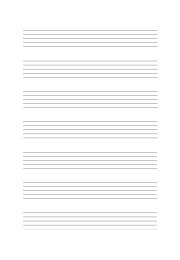
Blank guitar tab paper gives you a clean, printable template with six horizontal lines per row — one for each string of a standard guitar. Each row is clearly spaced for comfortable notation, and the "TAB" label on the left reminds you of the format at a glance. Choose A4 or Letter size to match your printer.
Whether you call them blank tab sheets, tablature paper, an empty tab sheet or a guitar tab template, it is the same page: rows of empty six-line tablature, ready to print as a free PDF and fill in by hand.
How many tab staves fit on one blank guitar tab sheet?
An A4 sheet holds 12 tab staves and a US Letter sheet holds 11. Each staff is six lines 2 mm apart, so one staff is 1 cm tall, and roughly 1 cm of white space separates it from the next — room to write chord names, rhythm marks or lyrics above a line of tab. The strings are spaced for the fret numbers you write by hand, not for the large print of a beginner's book, so if you need bigger writing space, print the A4 sheet enlarged onto A3 or tabloid paper with "fit to page" — every line grows by about 40%. The staves run edge to edge inside a 2 cm side margin and carry a small T-A-B label at the start of every line. Download the A4 blank tab sheet, or the US Letter tablature paper.
Who Uses Blank Tab Paper?
- Guitarists writing down riffs, solos, or chord progressions by hand
- Songwriters who prefer pen-and-paper notation for quick ideas
- Music teachers creating custom exercises for students
- Bass players — the bottom four lines correspond to standard bass tuning
Whether you are composing your first melody or transcribing a solo, blank tablature paper keeps your ideas organized on paper without needing software.
For notation with full staves, see our blank sheet music paper instead.
Tip: print several copies at once and keep a stack on your desk. The six-line format also works for ukulele (use the top four lines) and other fretted instruments.
Blank tab sheet or blank sheet music — which do I need?
Tab tells you where to put your fingers; standard notation tells you which note to play and for how long. Tab is faster to write and to read on a guitar, which is why most riffs and solos are shared that way, but a plain tab sheet has no rhythm. If you are transcribing for another instrument, writing for a singer, or need note lengths on the page, use five-line staff paper instead — the treble clef sheet music (A4) covers melody and lead lines, and the large-staff version gives beginners more room between the lines. Many guitarists keep both: tab for the fingering, one staff above it for the rhythm.
How do you write guitar tab on a blank tab sheet?
The top line is the thin high E string and the bottom line is the low E — the opposite of how the strings look when you glance down at the guitar, and the most common beginner mix-up. Write the fret number on the line of the string you pluck: 0 for an open string, 3 for the third fret. Read left to right; numbers stacked vertically are played together as a chord. The usual shorthand is h for a hammer-on, p for a pull-off, b for a bend and / or \ for a slide. Because tab has no rhythm of its own, write counts or note values in the white space above the staff. For the chord shapes themselves, a fretboard grid is clearer than a column of numbers — pair this sheet with a blank guitar chord chart.
How do I print it at the right size?
Printers shrink the page slightly by default, which makes every measurement on the sheet wrong. Turn scaling off and the spacing comes out exactly as you set it.
- Scale: 100% / Actual size
- Turn off "Fit to page"
- Paper: white 80 gsm
- Colour: black and white for crisp lines
Do I need Word for this?
No. A grid or ruling drawn as a table in Word changes size when it prints, because Word scales the page to your printer margins — so the spacing you set is not the spacing you get. The PDF here is fixed at the size you chose, which is the whole point of downloading one.
Can I put this inside a Word document?
Yes — download it as a transparent PNG and insert it as a picture or page background. Word, Google Docs and Slides all take it, and the spacing stays exactly as you set it here.