Email Me This PDF
We'll send this exact paper to your inbox — print it anytime, on any device.
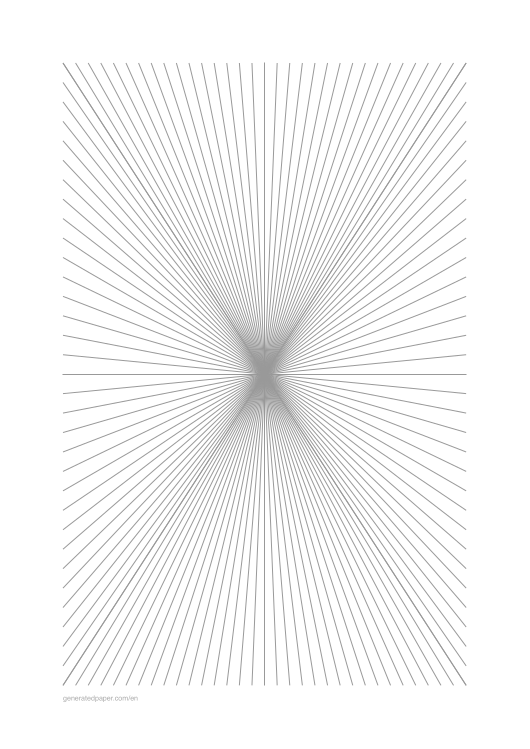
Perspective drawing paper (also called vanishing point paper or perspective grid paper) is a specialized template featuring guide lines that converge toward one or more vanishing points. These pre-drawn grids eliminate the need to manually calculate perspective lines, helping artists, architects, students, and designers create accurate drawings with realistic depth and dimension.
Unlike regular graph paper which uses a flat grid, perspective paper provides angular guide lines that follow the rules of linear perspective. This makes it invaluable for architectural sketches, technical illustrations, art education, and any drawing that requires accurate spatial relationships.
Use perspective paper instead of regular graph paper when your drawing needs to show depth, distance, or three-dimensional space. It's essential for:
Each configuration serves different drawing needs. Here are the most popular setups for common use cases:
for symmetrical building fronts, storefronts, and architectural elevations. The center vanishing point creates balanced compositions perfect for facade studies
for roads extending into the distance. The bottom-center vanishing point creates a natural forward-looking perspective
to show both sides of buildings realistically. Two-point perspective is the standard for architectural corner views
for elevated urban views looking down at cityscapes. The high horizon line creates a bird's eye perspective
for dramatic upward views of tall buildings. Three-point perspective with vertical convergence emphasizes height
Printers shrink the page slightly by default, which makes every measurement on the sheet wrong. Turn scaling off and the spacing comes out exactly as you set it.
No. A grid or ruling drawn as a table in Word changes size when it prints, because Word scales the page to your printer margins — so the spacing you set is not the spacing you get. The PDF here is fixed at the size you chose, which is the whole point of downloading one.
Yes — download it as a transparent PNG and insert it as a picture or page background. Word, Google Docs and Slides all take it, and the spacing stays exactly as you set it here.
We'll send this exact configuration so you can print it again without setting it up.
One email with your PDF. No account, and no other emails ever — unless you tick the box.
Someone else probably needs the same page — a classmate, your kids, a colleague.
You downloaded this exact page a moment ago. Knowing why helps us fix the cause.
We can build one of these next.
What did you print this for?
Your feedback helps us improve — and keeps this tool free for everyone.
Check your inbox — the PDF and a link back to this exact setup are in there.