Email Me This PDF
We'll send this exact paper to your inbox — print it anytime, on any device.
There is no such thing as "cursive". A learner in Ohio, in Kent and in New South Wales is taught three visibly different scripts, and a worksheet in the wrong one drills letter shapes that will have to be unlearned. Pick the style below, choose how much tracing you want, and print. Works the same whether you are teaching a six-year-old or fixing your own handwriting.
Choose whatever the school uses — it is usually printed on the inside of the exercise book. In the US that is one of two cursive models, the ones sold as Zaner-Bloser (traditional) and D'Nealian (modern); English primary schools teach a joined hand with different entry strokes; Australian states teach their own foundation scripts. Print comes first everywhere: separate letters, simple shapes, before anything is joined.
the older US model, upright and looped — as taught in Zaner-Bloser schools
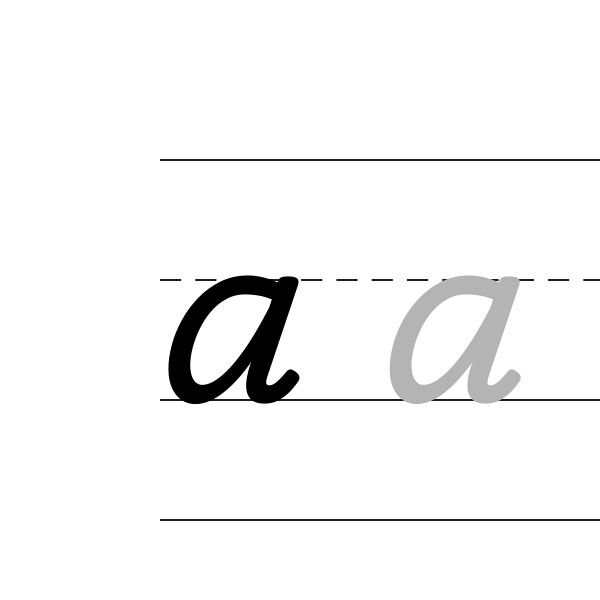
the slanted continuous-stroke model, taught as D'Nealian
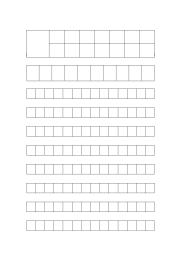
separate letters — the first sheet, before any joining
the joined hand taught in English primary schools, on A4
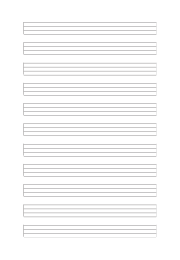
the Australian script, on dotted thirds ruling
Yes — type a name, this week's spellings, or a short sentence into the text box at the top of the form. Each word gets its own ruled line with a model to trace and space to write it unaided, and nothing is saved or sent anywhere. Leave the box empty and you get the full alphabet instead, which is what most people want the first time.
Numbers work the same way: the 0–9 tracing sheet.
Not on their own. A child tracing a dashed letter can follow the shape perfectly while starting it in the wrong place, and that habit does not transfer to writing the letter unaided — which is the whole point of the exercise.
So every sheet here ends its line in empty ruling: a model to look at, a few to trace, then you write it yourself. If you would rather skip tracing altogether, set "Practice type" to copy from the model and the tracing letters disappear.
The writing band sets the letter height, and bigger is not automatically better — a child who has to drag a pencil across a 12 mm letter tires before the row is done. 8 mm and up suits a first writer, 6 mm is the ordinary school size, and 4–5 mm suits a child who already writes comfortably and needs the practice rather than the scaffold.
Once the letters are formed and only the line matters, move to blank handwriting paper.
Yes, and the settings that suit an adult are not the child ones. Use a 5 mm band rather than 8 — that is close to normal adult writing size, and oversized letters make a practised hand feel clumsy rather than careful. Set the practice type to copy from the model: tracing is scaffolding for someone who does not yet know the shape, and if you are relearning a hand you already know it, you just need the reference and the room.
The adult sheet is set up that way already — cursive practice sheets for adults.
Typing a sentence you actually write often — your signature, an address, a greeting — is worth more than another pass through the alphabet, because the letters you form badly are the ones you use.
Printers shrink the page slightly by default, which makes every measurement on the sheet wrong. Turn scaling off and the spacing comes out exactly as you set it.
No. A grid or ruling drawn as a table in Word changes size when it prints, because Word scales the page to your printer margins — so the spacing you set is not the spacing you get. The PDF here is fixed at the size you chose, which is the whole point of downloading one.
Yes — download it as a transparent PNG and insert it as a picture or page background. Word, Google Docs and Slides all take it, and the spacing stays exactly as you set it here.
We'll send this exact configuration so you can print it again without setting it up.
One email with your PDF. No account, and no other emails ever — unless you tick the box.
What did you print this for?
Your feedback helps us improve — and keeps this tool free for everyone.
Check your inbox — the PDF and a link back to this exact setup are in there.