Email Me This PDF
We'll send this exact paper to your inbox — print it anytime, on any device.
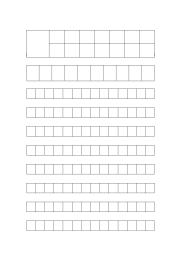
Learning to write Japanese and Chinese characters requires precision, repetition, and consistent stroke placement. This printable character guide paper (also known as genkō yōshi in Japanese or tian zi ge in Chinese) provides the ideal layout for practicing kanji, kana, or hanzi writing with proper proportions and alignment.
Character guide paper is a grid-based format specifically designed to:
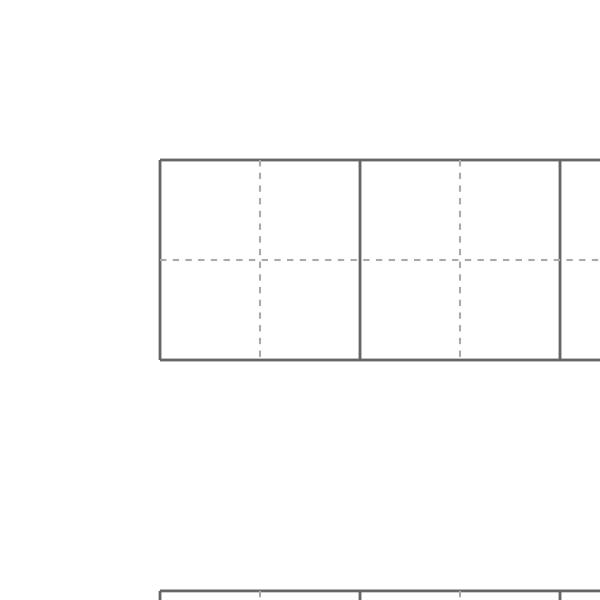
Each square typically includes optional guides or subdivisions that help position radicals and components consistently — a critical aspect of both Chinese and Japanese script systems.
This paper is ideal for:
Whether you're learning Japanese kana, tackling your first JLPT kanji, or practicing Chinese sentence composition, this paper format supports visual clarity and muscle memory.
Also see our vocabulary worksheet for building word lists alongside your character practice.
Printers shrink the page slightly by default, which makes every measurement on the sheet wrong. Turn scaling off and the spacing comes out exactly as you set it.
No. A grid or ruling drawn as a table in Word changes size when it prints, because Word scales the page to your printer margins — so the spacing you set is not the spacing you get. The PDF here is fixed at the size you chose, which is the whole point of downloading one.
Yes — download it as a transparent PNG and insert it as a picture or page background. Word, Google Docs and Slides all take it, and the spacing stays exactly as you set it here.
We'll send this exact configuration so you can print it again without setting it up.
One email with your PDF. No account, and no other emails ever — unless you tick the box.
Someone else probably needs the same page — a classmate, your kids, a colleague.
You downloaded this exact page a moment ago. Knowing why helps us fix the cause.
We can build one of these next.
What did you print this for?
Your feedback helps us improve — and keeps this tool free for everyone.
Check your inbox — the PDF and a link back to this exact setup are in there.